


Table of Contents
- What to Look for in Fashion Mood Board Apps
- Side-by-Side Comparison: Top Fashion Mood Board Apps
- How to Create a Fashion Mood Board on Any App
- Fashion Mood Board Ideas for Every Aesthetic
- Free Mood Board Maker Options That Deliver
- Outfit Planning Apps That Pair With Your Boards
- Mobile vs Desktop: Which Experience Wins?
- Final Thoughts
- Frequently Asked Questions
Last Updated: October 13, 2026
What to Look for in Fashion Mood Board Apps
Finding the best fashion apps for mood board creation starts with knowing which features actually matter for the way you design and dress. A fashion mood board is a visual collection of images, colors, textures, and garment references arranged to capture a specific look or feeling before you commit to it.
Here is what separates a useful tool from a frustrating one:
- Visual search and color search. Can you find similar images by uploading a photo or picking a color? This saves hours of scrolling.
- Drag-and-drop layout. A digital canvas should feel as natural as arranging magazine clippings on a table.
- A searchable image library. Boards get messy fast without tags, folders, or boards you can rename and revisit.
- Templates and customization. Pre-built layouts help you start fast, but you still need control over spacing, cropping, and backgrounds.
- Export and presentation options. You will want to share a board with a friend, a tailor, or a stylist.
- Cost. Free plans matter for hobbyists. Subscriptions only make sense once you hit storage or export limits.
The Apple App Store guidelines on in-app purchases are worth a read if you want to understand what a "free" app is really offering before you download it.
Side-by-Side Comparison: Top Fashion Mood Board Apps
The table below compares the apps most often recommended for fashion mood boarding across the criteria that actually decide the choice: free-plan limits, paid tier entry price, export formats, platform availability, and collaboration. Prices reflect standard U.S. monthly rates as of October 2026 and change often, so confirm on each app's listing before subscribing.
| App | Best For | Free Plan Limits | Paid Tier (U.S.) | Export Formats | Platforms | Collaboration |
|---|---|---|---|---|---|---|
| Visual discovery and saving | Unlimited pins, ads shown | No paid tier for consumers | Save to board; no native file export | iOS, Android, web | Shared boards, no real-time editing | |
| Canva | Templates and polished layouts | 5 GB storage, limited premium assets | Canva Pro, billed monthly | PNG, JPG, PDF, MP4 | iOS, Android, web, desktop | Real-time editing, comments, permissions |
| Milanote | Creative project planning | 100 cards total | Plus tier, billed monthly | PNG, PDF, JPEG | iOS, Android, web, desktop | Team boards, comments |
| Pureple | Digital wardrobe and outfit planning | Basic closet, ads | Premium tier, billed monthly | Outfit image export | iOS, Android | None |
| Stylebook | Detailed closet management | None, paid app only | One-time purchase | Outfit and calendar export | iOS only | None |
| Adobe Express | Branded, high-quality exports | Limited premium templates | Premium tier, billed monthly | PNG, JPG, PDF, MP4 | iOS, Android, web | Shared projects, comments |
How to read this table for fashion work. Three columns matter more than the rest:
- Export formats. If you plan to hand a board to a tailor, a stylist, or a print shop, you need PDF or high-resolution PNG. Pinterest and Pureple are weak here; Canva, Milanote, and Adobe Express are strong.
- Platform availability. Stylebook is iOS-only, which rules it out for Android users no matter how good the closet tools are (Stylebook Closet App: FAQ). Canva, Milanote, and Adobe Express cover phone, tablet, and desktop, which matters if you capture on mobile and arrange on desktop.
- Free-plan limits. Milanote's 100-card cap is generous for a single board but tight for a full seasonal project. Canva's 5 GB is plenty for personal use and runs out fast if you upload high-resolution fabric scans.
A common pattern among stylists and small-label designers is to run two apps: a discovery tool (Pinterest) for gathering, and a design tool (Canva or Milanote) for arranging and exporting. Wardrobe apps like Pureple and Stylebook sit in a third lane, they are for planning what you already own, not for building the concept board itself.
How to Create a Fashion Mood Board on Any App
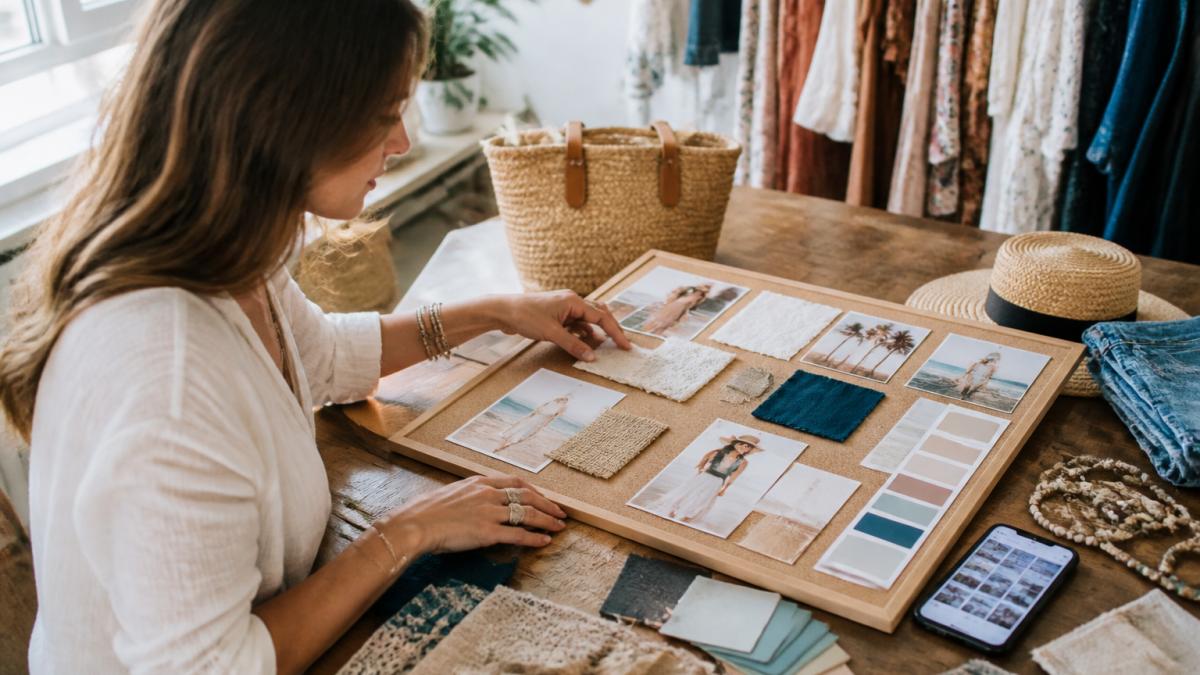
Creating a fashion mood board on any app follows the same basic rhythm regardless of the tool: gather your references, then arrange them until the story is clear. The steps below work whether you are on a phone at the beach or at a desk with a laptop.
Step 1: Gather Your Visual Inspiration
Start by collecting more than you think you need. Save outfit photos, fabric close-ups, color swatches, and garment sketches into one folder or board. Use image search and visual search to find pieces similar to what you already own. The Nielsen Norman Group's research on visual search usability explains why people find images faster than text, which is exactly why mood boarding works so well for fashion.
Step 2: Arrange and Refine Your Layout
Now edit ruthlessly. Pull your strongest references to the front and cut anything that does not fit the mood. Group by color palette, silhouette, or texture. Most apps let you drag and drop freely, resize images, and add text labels. Aim for a layout that reads in three seconds: one dominant image, two or three supporting ones, and a color strip along the edge.
Fashion Mood Board Ideas for Every Aesthetic
Fashion mood board ideas work best when they start from a specific feeling rather than a generic theme. Try a "coastal weekend" board built around sandy neutrals, linen textures, and one metallic accent. Or a "western glam" board pairing leather and denim with a single sequined piece. For a capsule wardrobe, build one board per season and repeat your core colors across all four.
A practical approach: pick three anchor pieces you already love, then build the board around them. This keeps the board grounded in clothes you will actually wear instead of aspirational images that never translate to a purchase.
Free Mood Board Maker Options That Deliver
Free mood board maker tools are genuinely capable in 2026, and most people do not need to pay to get started. Canva's free tier covers templates and exports. Pinterest costs nothing and doubles as a visual search engine. Milanote's free plan limits the number of boards but is enough to test whether the workflow suits you.
Where free plans fall short is storage, export resolution, and collaboration limits. If you are building boards for a small business or a design portfolio, the paid tier usually pays for itself quickly. If you are building a personal wardrobe, free is often all you need.
Outfit Planning Apps That Pair With Your Boards
Outfit planning apps turn a finished mood board into a plan you can actually wear. Tools like Pureple and Stylebook let you photograph your closet, catalog each item, and assemble outfits from what you own. This is where mood boarding stops being a creative exercise and starts saving you money.
A common mistake is treating your board and your closet as separate projects. The real value comes from matching them: build the board, then check each reference against items you already have. What is missing becomes your shopping list, and that list is far shorter than an impulse-driven one.
Mobile vs Desktop: Which Experience Wins?
Most roundups treat mobile and desktop as interchangeable. For fashion mood boarding they are not, and the split falls along a specific workflow: capture, then arrange, then export.
Capture happens on mobile. The strongest mobile workflows let you photograph a garment, a fabric swatch, or a street look and drop it straight into a board. Canva and Adobe Express both support camera capture into a project on iOS and Android.
Color extraction is a mobile-first feature. Several apps let you pull a color palette directly from a photo. This is the single most useful fashion-specific feature on a phone, because it turns a fabric close-up into a usable palette without a separate color-picker app.
Arranging happens on desktop. Once you have 20 to 40 references, a phone screen becomes a liability. Dragging, resizing, and aligning images on a 6-inch display is slow and imprecise.
Export and presentation favor desktop. PDF and high-resolution PNG exports are typically easier to control on desktop, where you can set page size, margins, and resolution before exporting.
Collaboration splits by platform. Real-time editing and comment threads work best on desktop for Canva, Milanote, and Adobe Express. Mobile apps are better for quick approvals, sending a board to a friend or a client and getting a thumbs-up.
Privacy and image rights deserve a platform check. Uploading photos of your own wardrobe or a client's samples means those images live on someone else's server. Check whether boards are private by default, whether the app claims a license to user uploads, and whether you can delete images permanently.
Final Thoughts
The best fashion apps for mood board creation are the ones you will actually open again, not the ones with the longest feature list. Start with one discovery app, one design app, and one wardrobe app, and let your boards grow from there.
When your board is ready and you want to bring it to life, that is where we come in. Boutique Bella Bella carries size-inclusive apparel, statement pieces from Queen of Sparkles, classic Stetson hats, and French Kande jewelry, all curated so you can find the pieces that match the look you have in mind. Our team helps you translate a mood board into outfits that fit, feel good, and hold up. Stop in and let us help you find your next favorite outfit.
Frequently Asked Questions
Can I make a fashion mood board on my phone?
Yes, most fashion mood board apps are designed mobile-first. Apps like Canva, Pinterest, and Milanote offer full iOS and Android support with drag-and-drop boards, camera uploads, and template libraries. The main trade-off is screen size: desktop apps give you more room for complex layouts, while mobile apps win on convenience and quick image saving. If you mostly collect visual inspiration on the go, a mobile app is the better starting point.
Are there free apps for creating fashion mood boards?
Several free mood board maker options exist. Canva's free plan includes thousands of templates and basic export, Pinterest is entirely free for saving and organizing reference images, and Milanote offers a limited free tier. Free plans typically cap exports, storage, or collaboration features. For a personal style board or outfit planning, a free plan is usually enough. Upgrade only when you need high-resolution exports or team sharing.
What should you include in a fashion mood board?
A useful fashion mood board goes beyond pretty pictures. Include color palettes, fabric textures, silhouettes, garment sketches, and reference images that match your concept. Add outfit ideas, styling notes, and shopping links so the board works as a planning tool, not just decoration. For wardrobe planning, include photos of pieces you already own alongside items you want to buy. This helps you spot gaps and avoid duplicate purchases.
What apps do fashion designers use to create mood boards?
Fashion designers often use a mix of tools. Adobe Photoshop and Illustrator remain standard for detailed concept development and garment sketches. For faster visual collaboration, many turn to Milanote, Canva, or Savee. Some use Pinterest for early visual search and reference gathering, then move to a dedicated app for layout and presentation. The best choice depends on whether you need quick collages or production-ready design boards.